


This job aid is designed to guide team members through the standardized process of adding a timesheet in LMN. By following these steps, users can accurately record crew hours, work types, shop time, and drive time, ensuring proper labor tracking and payroll accuracy.
Steps to Add a Timesheet in LMN
Step 1: Log In to LMN
- Log into your LMN account using your credentials.
Step 2: Access Timesheets
- Navigate to Timesheets.

- Click on the Timesheet List to view all timesheets punched by crew members.

Step 3: Create a New Timesheet
- Click the “+” icon located at the bottom right corner of the screen.
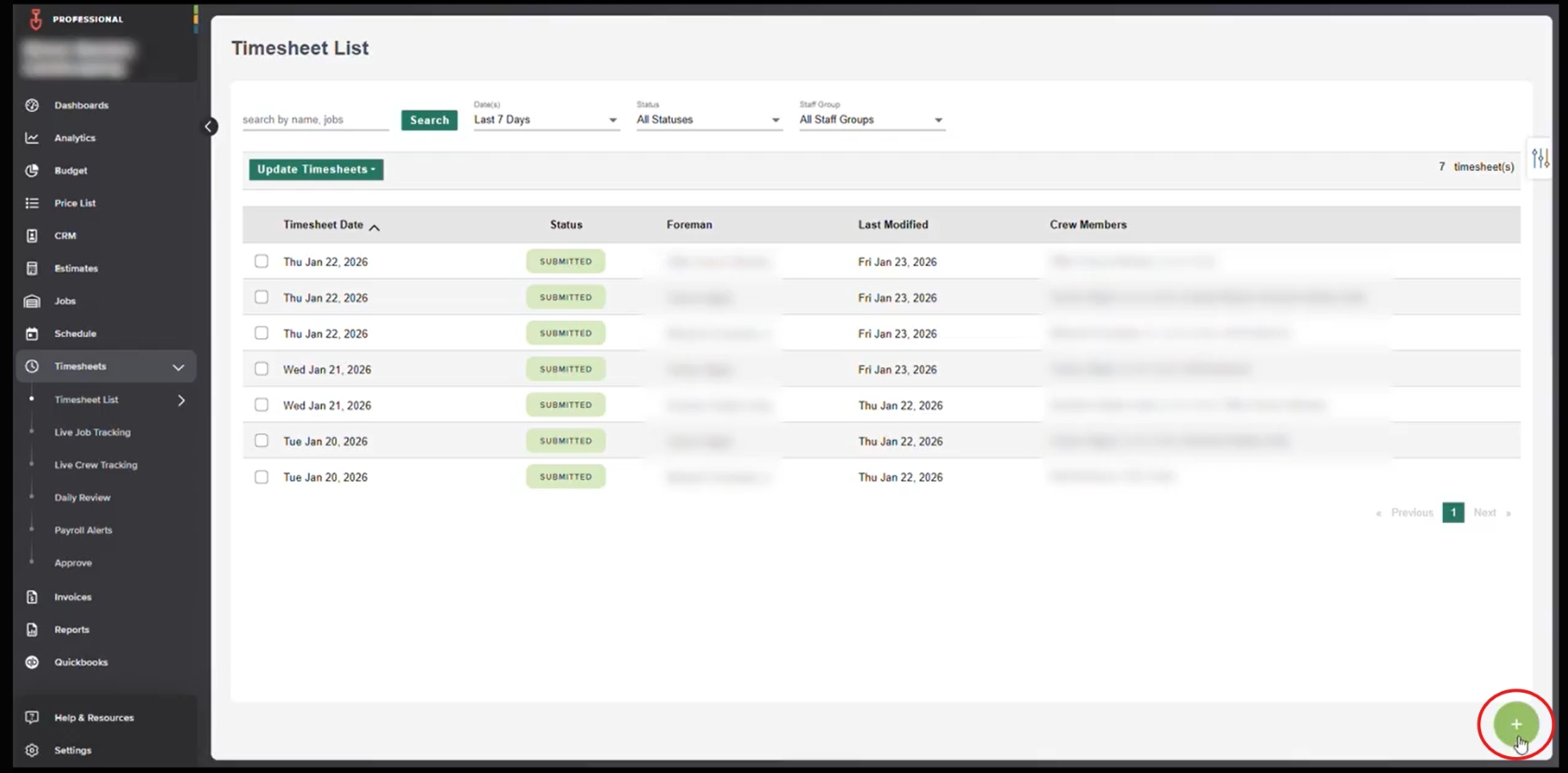
- Select the date on which the crew made the visit.

- You will be redirected to the Timesheet Details screen.
Step 4: Verify Timesheet Details
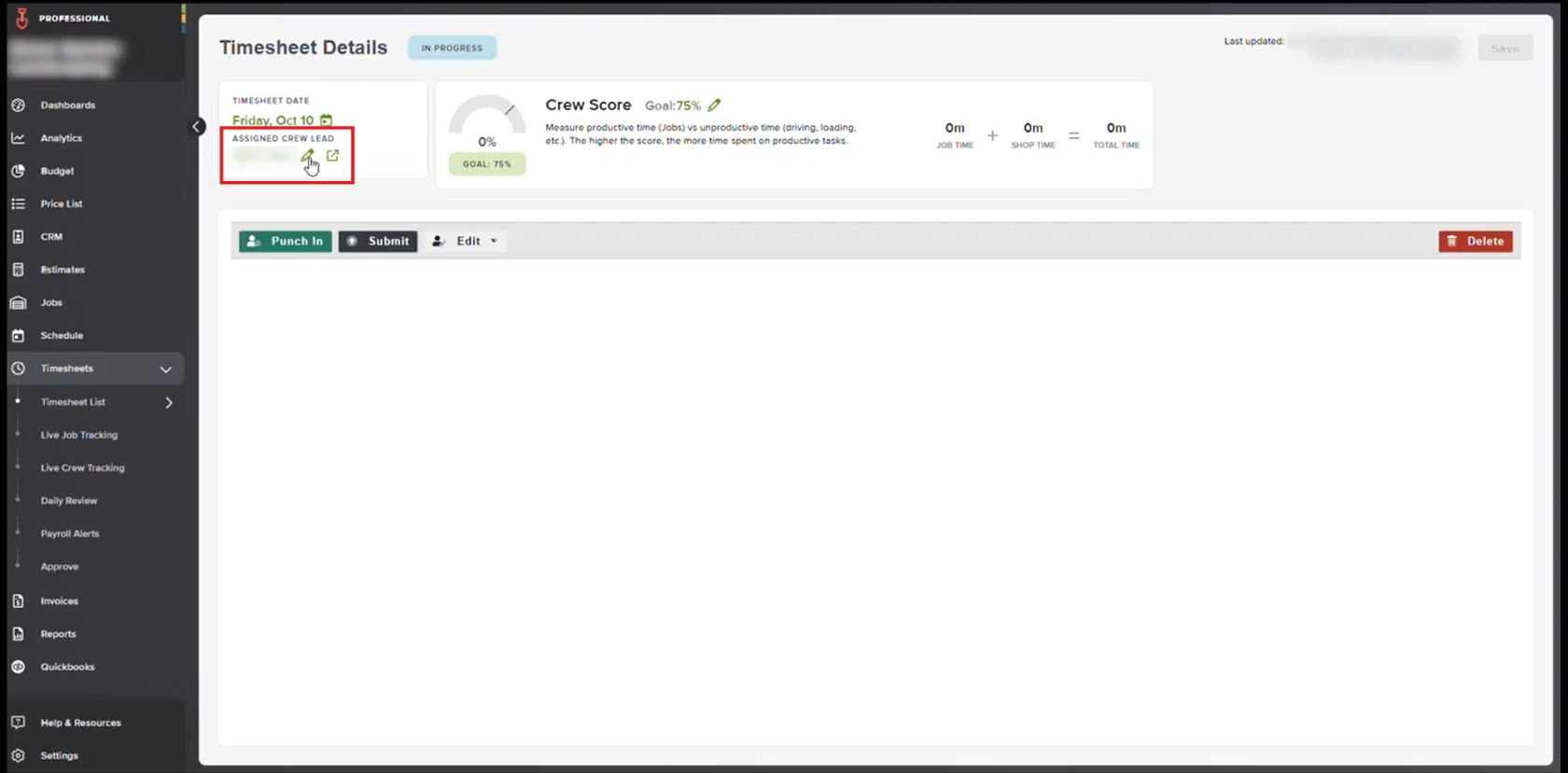
- Confirm the timesheet date.
- Verify the assigned crew lead.
- If needed, edit the crew lead directly from this screen.
Step 5: Punch In the Crew
- Click on Punch In.

- Select the crew members who worked with the crew lead.

Step 6: Add Work and Time Details
- Select the work type performed from the list.

- Check the Shop Time checkbox to add shop time.

- Select Drive Time and adjust the start time and end time based on total driving time.

- Review all time details and click Finish to create the shop time and drive time entries.

Step 7: Add Lunch Time (If Applicable)
- Add lunch time if the crew took a lunch break.
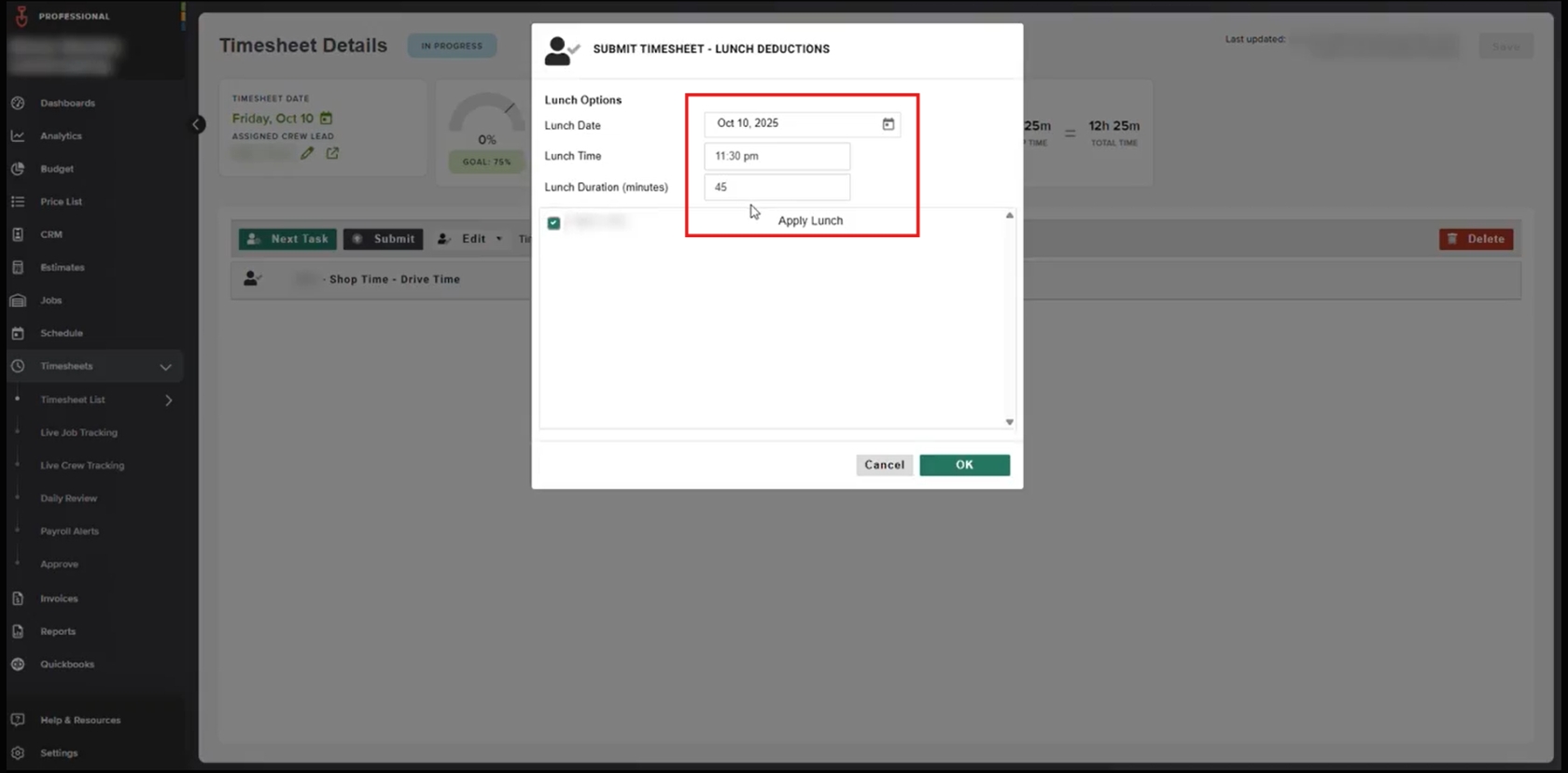
- If no lunch was taken, skip this step.
Step 8: Submit the Timesheet
- Review all entries carefully.
- Submit the timesheet.

Step 9: Review the Entry
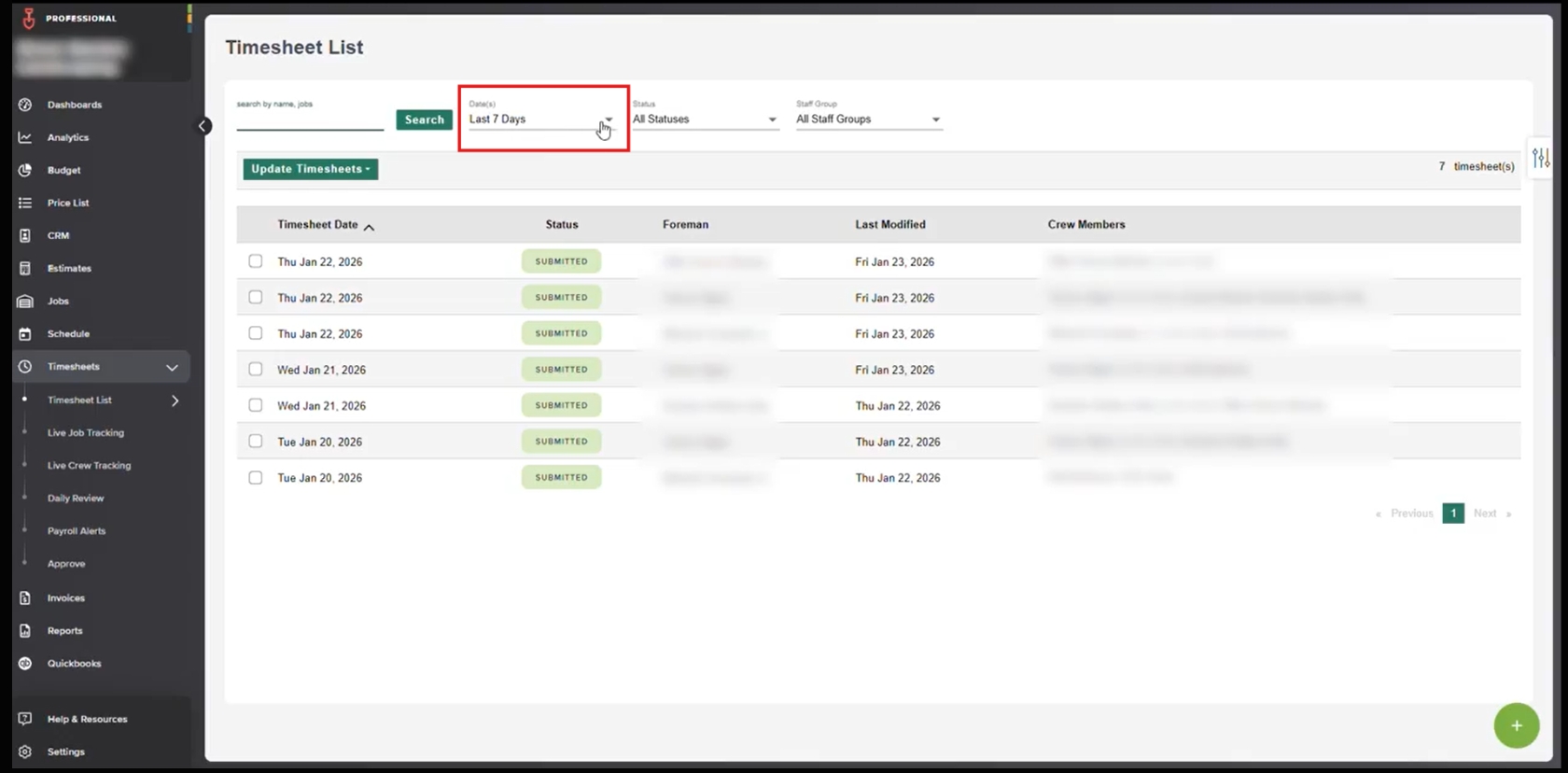
- Return to the Timesheet List.

- Apply the appropriate date range filter to review and verify the newly created timesheet.
Following these steps ensures accurate time tracking in LMN, helping maintain reliable records for payroll, job costing, and crew management.
Why Accurate Timesheets Matter in LMN
Consistently adding and reviewing timesheets in LMN ensures labor hours are captured correctly and tied to the right crews, jobs, and work types. When time is logged accurately, teams can rely on real data instead of estimates or assumptions.
Detailed timesheets help support payroll accuracy, job costing, and performance tracking. Recording shop time, drive time, and lunch breaks creates a complete picture of how time is spent, which reduces discrepancies and prevents rework later.
When timesheets are reviewed and verified within LMN, managers gain better visibility into crew activity, productivity improves, and reporting becomes more reliable. Over time, this leads to smoother operations, clearer accountability, and stronger decision-making across the business.
Download a PDF version of the job aide here.
